Vladislav Korecký · AI transformation for companies

AI in your company. Step by step and safely.

I help companies find where AI is really useful and introduce it safely across the whole company, from development and project management to documentation and risk assessment. Equally for companies in IT and beyond. As a senior manager, I lead a development team and use AI in all my work.

The intro consultation is free.

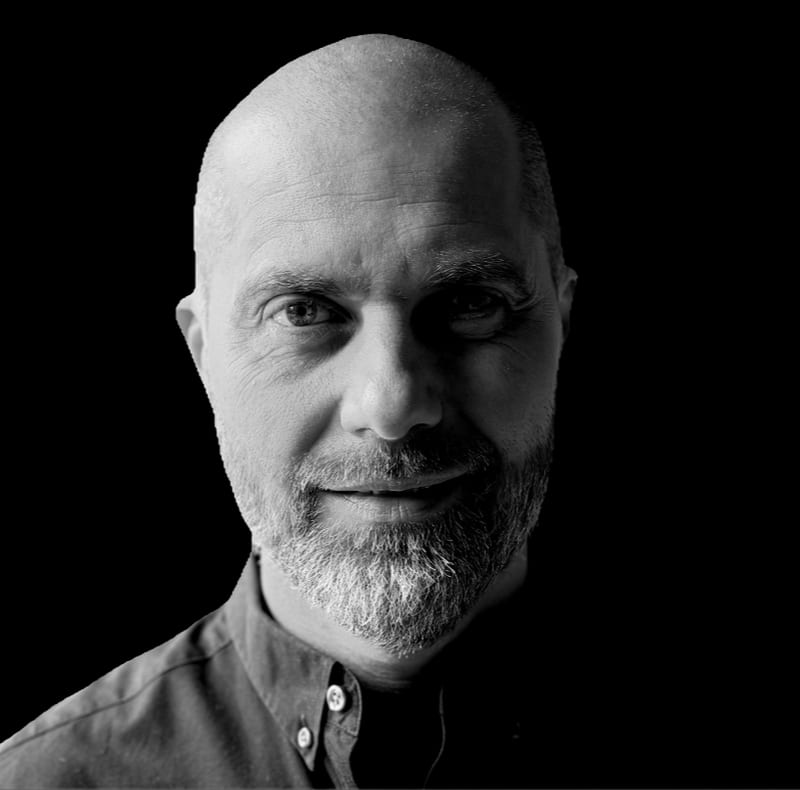
Vladislav Korecký, black-and-white portrait

The problem

Management wants AI, but doesn't know where to start. Technical teams worry about data leaks, lower quality and compliance. One plan for leadership and teams.

Management

Management wants to use AI, but doesn't know where it makes sense or where to begin.

Technical teams

IT and security teams worry that data or code could leak, that quality could drop and that rules could be broken.

Already using AI

AI is already in use, but only as a helper. Leaders re-check every output because they do not trust it yet.

I have been through a company's AI transformation myself: from basic use of chatbots to the point where AI works fully autonomously and people only supervise the resulting product. That is why I understand the whole transformation across the company's structure. I will help you plan the AI transformation and carry it out step by step.

Levels of AI adoption

Which level is your company at?

Adopting AI is not a yes-or-no question. It is a scale from 0 to 5. Most companies stop near the start.

  1. Level 0: No AI

    People do everything; AI does not help.

  2. Most companies stop here

    Level 1: Assistance

    AI advises or fills in (suggestions, autocomplete, translation); a person decides.

  3. Level 2: Partial automation

    AI handles single tasks (summaries, code, analysis); a person checks every output.

  4. This is where the winners will be (levels 3 and 4)

    Level 3: Conditional autonomy

    AI handles multi-step tasks on its own; a person approves the key steps.

  5. Level 4: High autonomy

    AI works on its own; a person supervises and steps in on exceptions.

  6. Level 5: Full autonomy

    AI acts without human oversight; for now mostly theory, and undesirable in high-risk areas.

The way up is not a better tool but how you set up the process: what AI may do on its own, where a person approves and how the result is checked.

Blind trust in AI is the most dangerous. But checking everything without rules only slows the work down.

During the intro consultation we find out together where you are and which step makes sense next.

Focus areas

Four areas, one goal: AI that really helps your company.

For IT companies and for firms outside IT, such as manufacturers.

Finding where AI really helps

We map how your company works and pick where AI makes sense, and where it does not.

Mapping of processes across the company, from enquiries and project management to operations, documentation and risk assessment. The result is a short list of where to start.

Safe adoption

You decide which data stays in the company. AI gets only the access it needs.

For technical teams: agent permissions, guardrails and clear rules for data and code.

Processes and software

We connect AI to the systems and processes you already have.

Software architecture and integration with your existing systems: new designs and redesigns of current ones, including cloud and microservices.

People and training

Training tailored to your company, as part of a change across the whole organisation. People learn to use AI in their own daily work.

In my career I have successfully transformed several companies and development teams.

How we work together

From the first consultation to AI your people use with confidence.

  1. Step 1

    Intro consultation

    Free of charge. You tell me where you are with AI and what worries you.

  2. Step 2

    Mapping processes and needs

    I go through your people, processes, tools and rules with you and find out what you really need. Together we choose where AI makes sense.

  3. Step 3

    Pilot on one real process

    We first try AI on one real task, on a small scale. You see what it brings before anything bigger starts.

  4. Step 4

    Rollout with security and training

    We roll out what works in the pilot. I tailor the training to your people. Where needed, I also set up security and rules so that AI can keep growing in the company.

  5. Step 5

    Ongoing support

    After the rollout I stay available for questions and next steps while the company gains experience.

Examples

Where AI can help in your company.

Everyday examples from companies outside IT. During the intro consultation we find out together what fits you.

Quotes and customer enquiries

AI prepares a first draft of a quote or of a reply to an enquiry. A person checks it and sends it. In manufacturing, AI can read drawings and prepare a cost calculation. A person still checks the time estimates, because that is where AI sometimes gets it wrong.

Production and quality documentation

Help with writing and updating work instructions, reports and documents for certifications.

Planning

A quicker overview for planning orders, capacity and delivery dates. People still make the decisions.

Passing on know-how

AI helps write down what experienced colleagues know, so new people can easily find answers to their questions.

Translations

Draft translations of documents and emails for foreign customers and suppliers, checked by someone who knows the language.

Your own tools without programming

With AI, people without programming knowledge can build simple internal tools, small apps and automations themselves. For example, a form, an overview or a regular report for their department.

Long documents in brief

A short summary of standards, contracts or tender terms, so you quickly see what matters. Still, it does not replace careful reading of the key parts, or a lawyer.

For software teams

Agent skills and instructions

How to write instructions and skills so that agents work the way your team works.

Guardrails and permissions

What an agent may do on its own, and what needs a human to approve it.

Sensitive data and code out of prompts

Which data may leave the company, and how to keep it that way in daily work.

Reviewing AI-generated code

How to review code that an agent wrote, so quality stays where it was.

Why me

Experience from everyday practice.

Hands-on AI in software development

I work intensively with AI tools that write and test code largely on their own.

A team I lead

As a senior manager, I lead a development team. I see AI adoption from the inside, not from a slide deck.

AI across my work

AI helps me in all areas of my work: software development, project management, risk assessment and more. I know from practice where it adds value and where it gets in the way.

Architect and manager

I am a senior manager with a background in software architecture. You can see some of my projects below.

Projects

What I have worked on.

  • Black-and-white staircase with a handrail rising along a pale wall
    Transformation

    AI transformation of companies and teams

    management, self-organizing teams, agile, scrum, AI adoption

    Introducing AI in companies and teams: where AI helps, how to use it safely and how to teach people to work with it. It also included turning a team into a self-organizing agile team.

  • Glass skyscrapers seen from below against the sky
    Software architecture

    Enterprise System Architecture

    software architecture, data pipelines

    Data platform architecture for large customers, from data flows and infrastructure to security policy.

  • A trainer with a tablet explaining something to a group of listeners
    Training

    Training and AI

    software engineering, java, python, AI

    Training for developers in Python, application testing, design patterns, frameworks and working with AI.

  • Source code in an editor on a laptop screen
    Software architecture

    Redesign of the Cloud System

    aws, software architecture, refactoring, cloud

    Rebuilding a Java application monitoring product into a modern cloud system.

  • Web page designs in a graphics editor on a monitor
    Software architecture

    Intranet portal for an international company

    intranet portal, +100k users, sharepoint

    Migration of an intranet portal used by more than 100,000 employees worldwide.

  • Night skyline of a big city with illuminated skyscrapers
    Software architecture

    Smart City IoT Platform

    smart cities, smart buildings, iot

    An IoT platform that scales from building automation to smart city projects.

  • Handwritten letters on old paper and writing tools
    Software architecture

    Long-term archiving for a public institution

    solution architecture, long-term preservation

    Design of a system for long-term preservation of digital records for a public institution.

  • Prague skyline with the castle at dusk
    Transformation

    Information systems for government

    legislation, tenders, project management

    Development of applications for public administration and local government, from small municipalities to state institutions.

FAQ

Questions I hear most often.

Do we have to be an IT company or have our own specialists?

No. It helps if one person in the company takes ownership of the topic, but they do not need to be an IT specialist. I explain things in plain language and tailor training to each company, including companies outside IT, such as manufacturers.

We only use AI as a helper and check everything. Are we doing something wrong?

No. It is a common start, matching levels 1 to 2. The next step is a process: what AI may do on its own, what a person approves and how errors are caught. Blind trust is the worst option. Constantly re-checking everything without rules does not hold up as the volume of work grows, either.

Will our data leave the company?

That is your decision. It depends on which tools you use and how they are set up. Together we look at which data may be used with AI and which must stay in the company, and I show you the settings and contracts that protect it. For software teams this also covers keeping code and sensitive data out of prompts.

Won't AI-generated code lower our quality?

It can, if nobody reviews it. Code from an agent should go through the same review and tests as any other code, and the training shows how to do that well.

What does the intro consultation cost?

Nothing. The intro consultation is free.

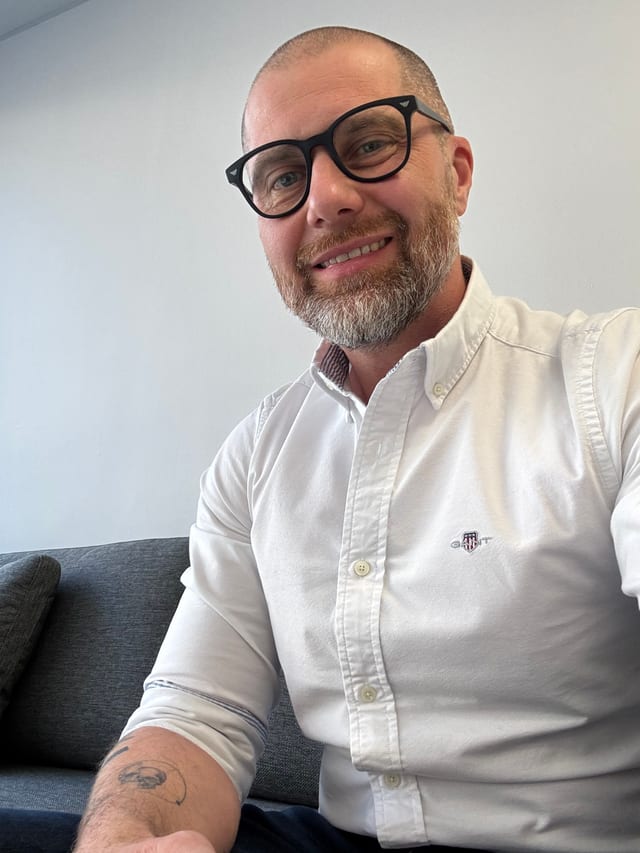
Vladislav Korecký in a white shirt, colour portrait

About me

From code to guiding teams and companies through change.

I have many years of experience in IT. I started as a developer and progressed through team leader and architect to my current role as a senior manager. I understand technology and code, and also the needs of company leadership and of its customers.

Today, as a senior manager, I lead a development team. AI helps me in all areas of my work, from software development through project management to risk assessment, and in software development I work intensively with AI tools that write and test code largely on their own. That is why, for me, AI transformation means a change across the whole team and organisation, not just new software.

What I bring to your company is practical experience, not slides. Before any cooperation, we sit down together and discuss the possibilities and expectations on both sides, free of charge.

Contact

Let's have a no-obligation talk about your AI transformation.

The intro consultation is free. Tell me where you are with AI, and together we will see whether and how I can help.